Neat MAC Changer v4.0 – Advanced MAC Privacy and Anti-Detection Tools

Overview of Neat MAC Changer v4.0 – Advanced MAC Privacy and Anti-Detection Tools
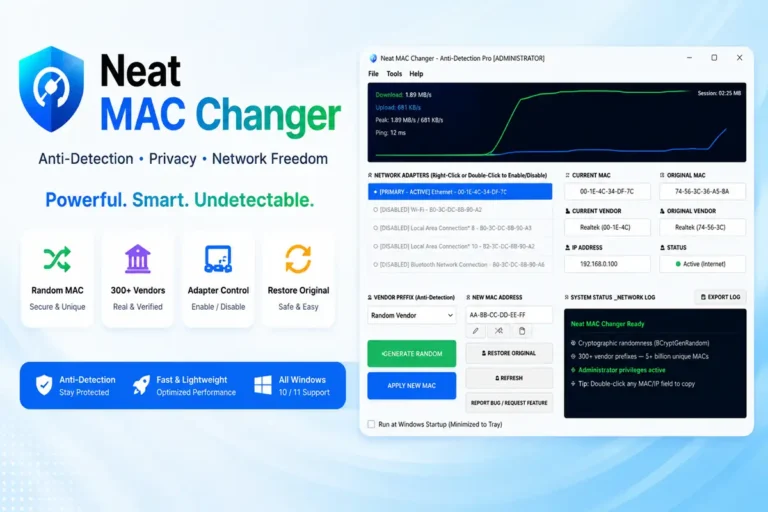
Neat MAC Changer v4.0 is a specialized utility designed for technicians and privacy enthusiasts who need to modify their network hardware identity. It provides a straightforward way to change the MAC address of any network adapter on a Windows machine without manual registry editing.
This tool is essential for anti-detection and maintaining online privacy by masking your real hardware ID. It uses cryptographic randomness to generate over 5 billion unique addresses, making it nearly impossible for network logs to track your specific device across different sessions.
Streamlined Network Adapter Management
The software handles the heavy lifting of network adapter controls automatically. It detects active connections and allows you to toggle them or refresh the stack with a simple right-click. This saves time when testing network security or bypassing hardware-based filters.
It includes a network cleanup feature that flushes DNS and resets the connection after every change. This ensures that your new identity is recognized by the router immediately without needing a full system reboot or manual IP config commands.
Reliability for Network Technicians
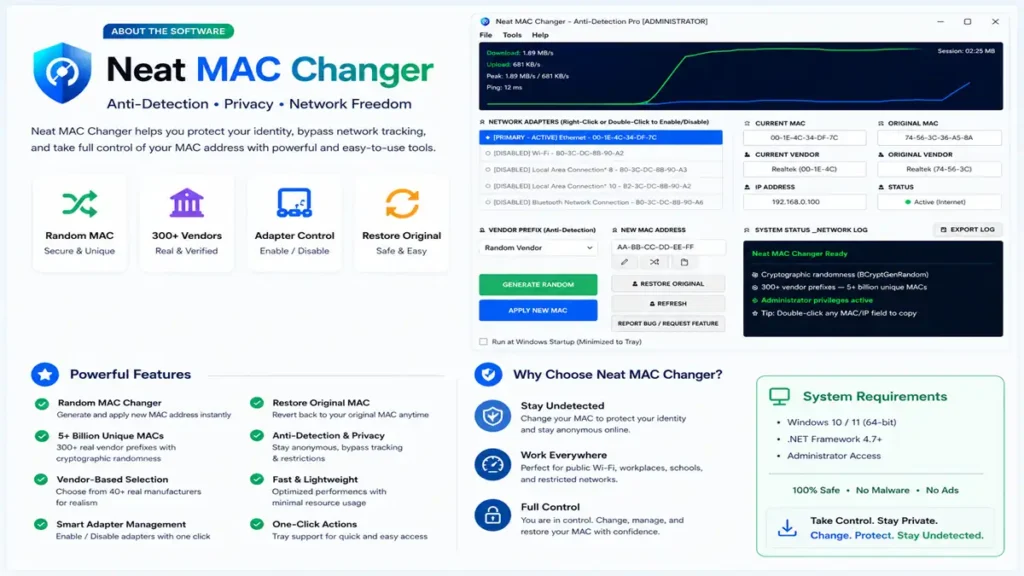
Compatibility is broad, covering everything from Ethernet controllers to modern Wi-Fi 6 cards. The tool validates every address to ensure you don’t apply invalid or “all-zero” strings that could crash the driver. It is a safe, field-tested solution for daily network troubleshooting.
Technicians often use this to test DHCP assignments or verify VLAN access rules. The ability to choose specific vendor prefixes, like Apple, Samsung, or Intel, helps your device blend into any network environment realistically and avoids triggering suspicious activity flags.
Core Advantages of Using Neat MAC Changer
- Cryptographic Randomization: Uses BCryptGenRandom to ensure every generated MAC is truly unique and follows real-world hardware standards.
- Vendor Spoofing: Access a library of over 40 real IEEE manufacturer prefixes to make your adapter look like a specific brand of hardware.
- One-Click Privacy: Use the tray menu to instantly go offline or change your ID without opening the main application window.
- Auto-Rotation Mode: Set a timer to automatically change your network identity every 5 to 60 minutes for maximum anonymity.
- Real-Time Monitoring: Includes a floating speed meter and latency graph so you can track connection health while staying hidden.
- Profile Support: Save and reload specific MAC profiles for different locations or Wi-Fi networks you frequently visit.
- Safety First: Features a dedicated Restore Original MAC button to immediately revert your adapter to its factory settings.
❓ Frequently Asked Questions
Is Neat MAC Changer v4.0 permanent?
No, the changes are software-based. You can use the Restore Original button at any time to return to your hardware’s factory MAC address.
Does this tool work on Windows 11?
Yes, it is fully compatible with Windows 10 and 11, including support for both 32-bit and 64-bit architectures.
Why does the internet drop for a moment after a change?
The app must disable and re-enable the adapter to apply the new ID. This brief disconnect is normal and takes only a few seconds.
Will this help me bypass public Wi-Fi time limits?
Yes, spoofing your MAC address often allows you to reset session timers on networks that track usage by hardware ID.
Do I need admin privileges to run this?
Yes, changing network registry settings requires administrator access. The tool will prompt for UAC during launch.
📥 Installation
- Download the Neat MAC Changer v4.0 archive to your PC.
- Extract the folder using 7-Zip or WinRAR.
- Right-click the executable and select Run as Administrator.
- Select your target network adapter from the dropdown list.
- Click Random MAC or enter a custom one, then hit Apply.
✨ Key Features
The v4.0 update brings a massive set of tools for advanced network identity management and privacy protection.
- Random MAC Changer: Uses BCryptGenRandom for high-level cryptographic randomness when generating new addresses.
- Massive Prefix Library: Choose from over 300 real IEEE vendor prefixes resulting in over 5 billion unique combinations.
- Vendor-Specific Mode: Select from 40+ brands like Cisco, Google, and Samsung to make your connection look authentic.
- Custom MAC Entry: Manually type in a specific MAC address and apply it with built-in validation to prevent driver errors.
- Restore Original ID: One-tap function to clear the registry override and return to the adapter’s original MAC.
- Live Information Display: View your current IP, original MAC, current vendor, and adapter status in real-time.
- Smart Adapter List: Automatically filters and highlights internet-ready adapters for quick identification.
- Network Cleanup: Automatically flushes DNS and refreshes the network stack after any identity change.
- Tray Privacy Mode: Instantly disable adapters or change MAC directly from the Windows taskbar tray.
- Floating Speed Monitor: Overlays a live upload/download meter with 10 different visual styles and opacity control.
- Auto-Rotate MAC: Automate your privacy by setting the app to rotate MAC addresses at specific intervals.
- SSID-Aware Mode: Create rules to auto-apply specific MAC profiles depending on which Wi-Fi network you join.
- Admin Automation: Reduced UAC prompts and auto-admin launch features for a smoother workflow on startup.
- Enhanced Logs: Export detailed logs for troubleshooting and view real-time action notifications via toast messages.
🖥️ Requirements
| Operating System | Windows 7, 8, 10, 11 (32/64-bit) |
| Framework | .NET Framework 4.6.2 or higher |
| Permissions | Administrator Rights Required |
| Hardware | Any Ethernet or Wi-Fi Network Adapter |
📜 What’s New
- v4.0.0: Added BCryptGenRandom for better cryptographic uniqueness.
- v4.0.0: New One-click Privacy Mode in the tray menu for instant offline status.
- v4.0.0: Fixed UI overlap and log visibility issues in dark mode.
- v4.0.0: Improved Connection test retry logic for slow network adapters.
- v4.0.0: Added SSID-aware automation for location-based MAC profiles.
- v4.0.0: Resolved UAC prompt loops during system startup.
Ratings & Reviews
0.0
out of 5
Be the first to review this application!