Download Neat Forge v1.0.0: The Most Modern Bootable USB Software for Free
You Need Just Bootable Any Official Iso Get All Feature in list check Over 120+ deep system tweaks, automated drivers, and silent apps packed into one Interactive Windows Installer.
🚀 What is NeatForge?
NeatForge is the most powerful post-install deployment and USB preparation tool designed for technicians, gamers, and system builders. Unlike risky custom OS builds from the internet, NeatForge respects your security. It acts as an advanced bootable USB maker that allows you to use your completely untouched, official Microsoft Windows 10 & 11 ISO files, while secretly packaging an intelligent offline payload.
Once you install Windows using your newly created secure USB, NeatForge’s automated engine kicks in at the very first desktop boot! It handles everything completely offline—from instantly bypassing annoying Windows 11 TPM and Microsoft Account requirements, to automatically installing massive driver libraries, killing telemetry, tweaking registry files for max gaming FPS, and silently installing all your essential apps.
- Official ISO Integration: Creates bootable USB drives using 100% authentic Microsoft Windows ISO images without corrupting core system integrity.
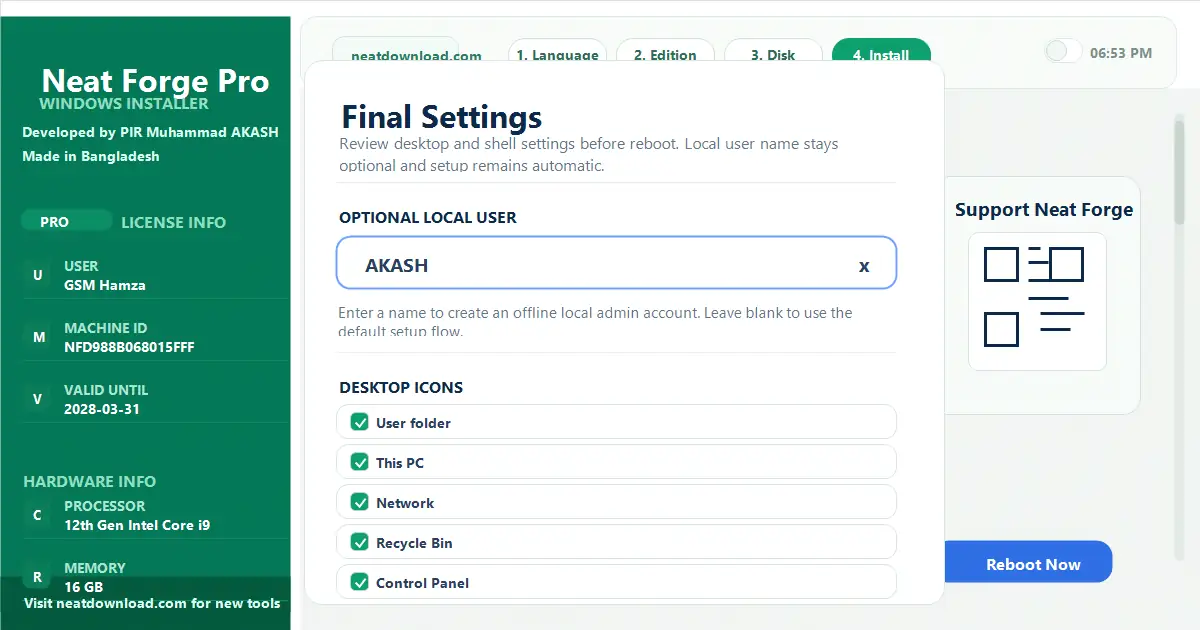
- Ultimate Offline Bypass: Skips TPM 2.0/Secure Boot restrictions, auto-creates local admin accounts, and completely blocks mandatory Microsoft Account (MSA) logins.
- Zero-Touch Drivers: Installs missing Mobile Drivers (Qualcomm, MTK, ADB), Audio, Video, and essential chipset configurations silently right after setup.
- Peak Performance Tweaks: Automatically injects 120+ deep system optimizations to disable unnecessary tracking, reduce RAM latency, and maximize CPU performance.
📥 Download NeatForge
Start creating the ultimate bootable USB today. Click below to get the official release.
📸 Software Interface Gallery
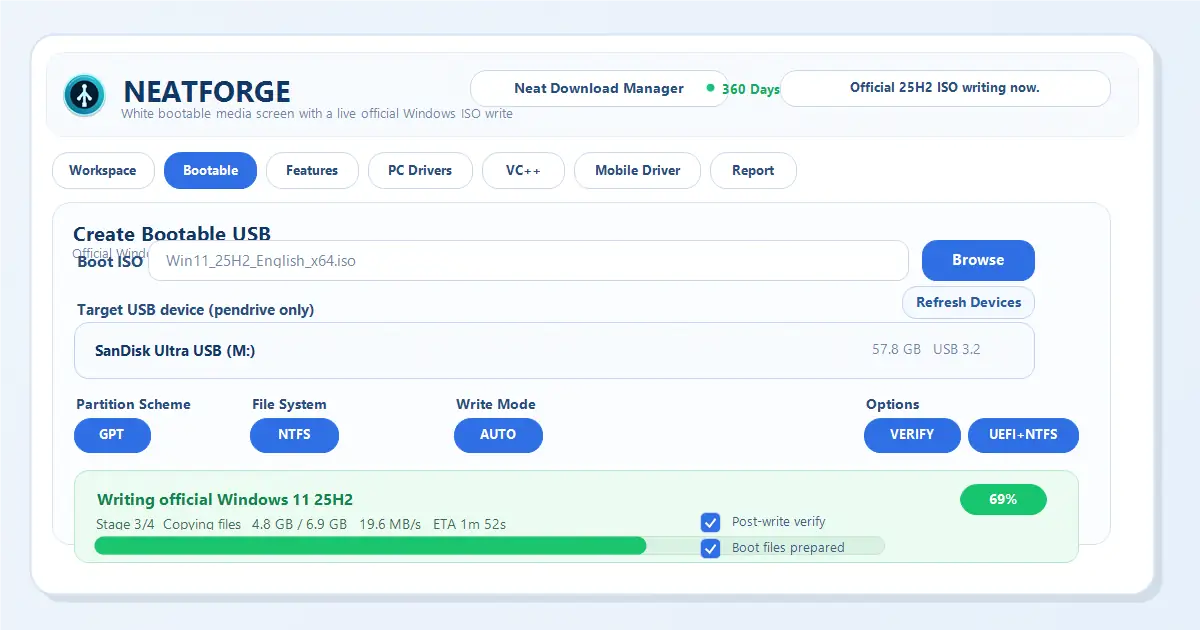
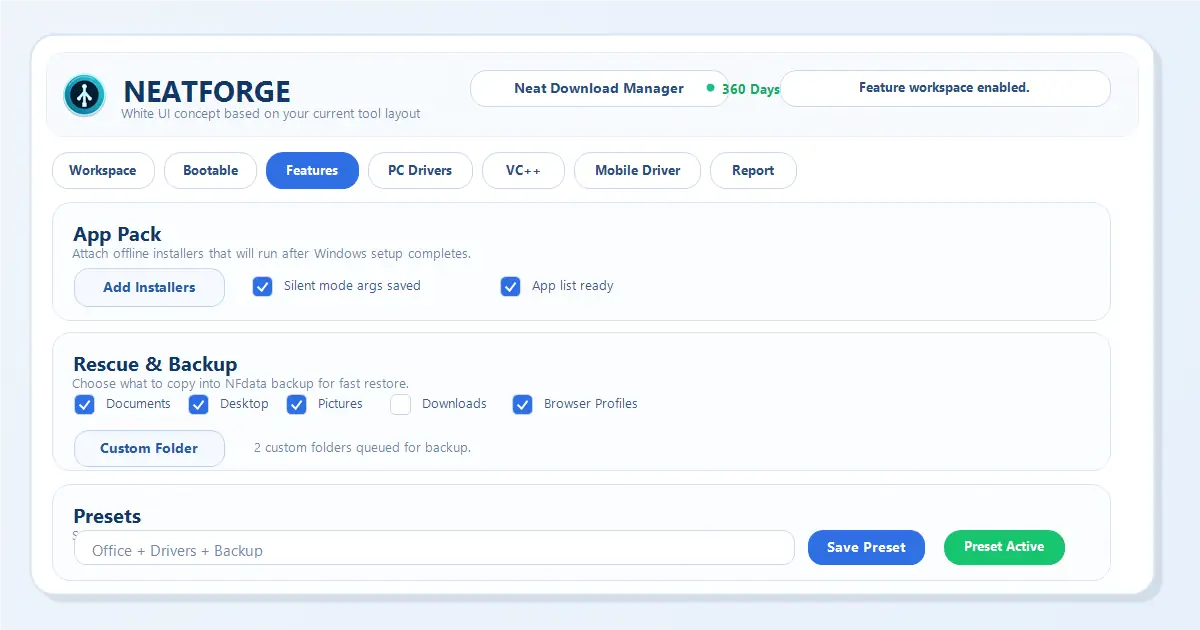
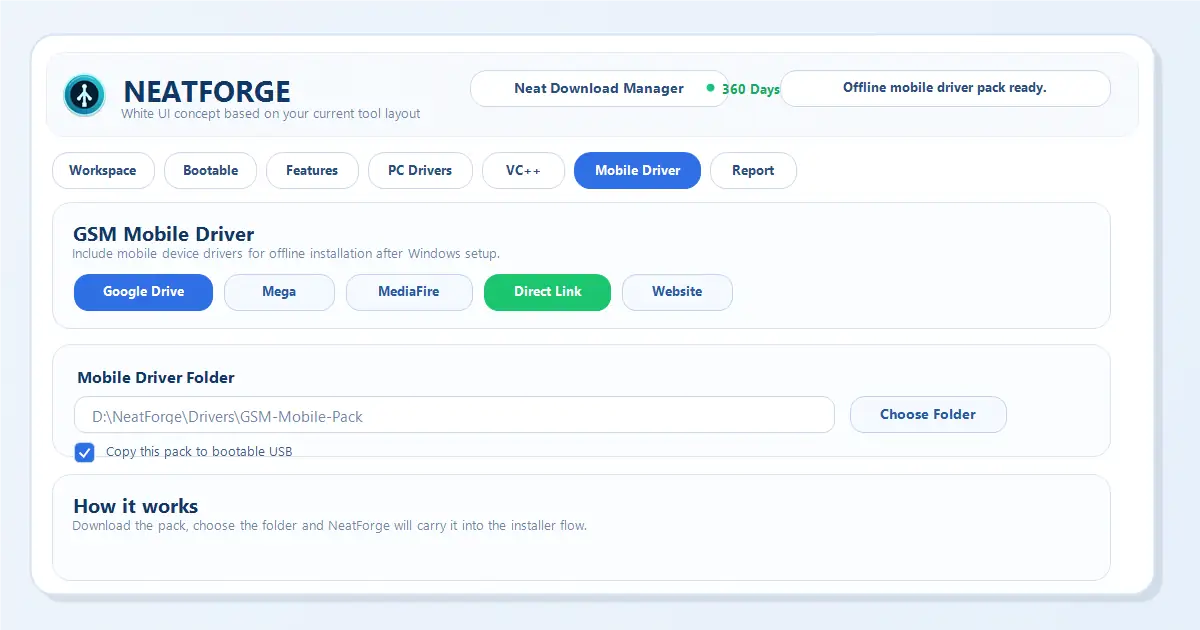
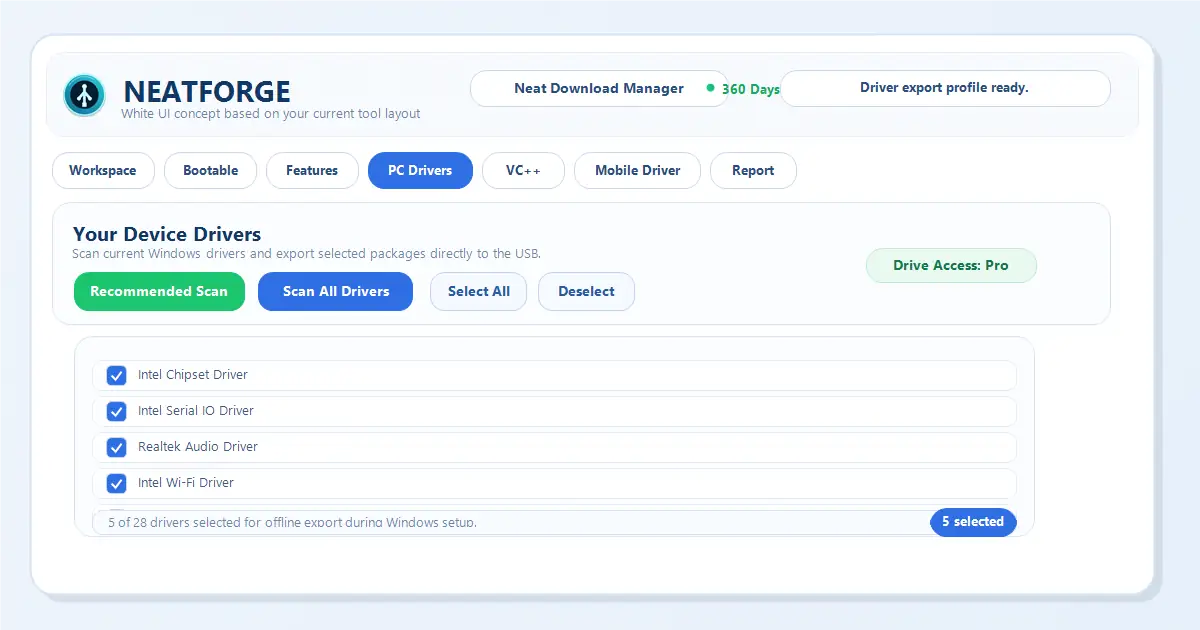
🚀 The Massive A-to-Z Feature List (120+ Tweaks)
Every single tweak, bypass, automation, and registry edit available inside NeatForge before you even boot to your desktop.
🖥️ Core Boot & Installer
- Bootable USB CreationFREE
- Interactive WinPE InstallerFREE
- Disk & Partition ManagerFREE
- Windows Edition SelectorFREE
- Hardware Compatibility CheckFREE
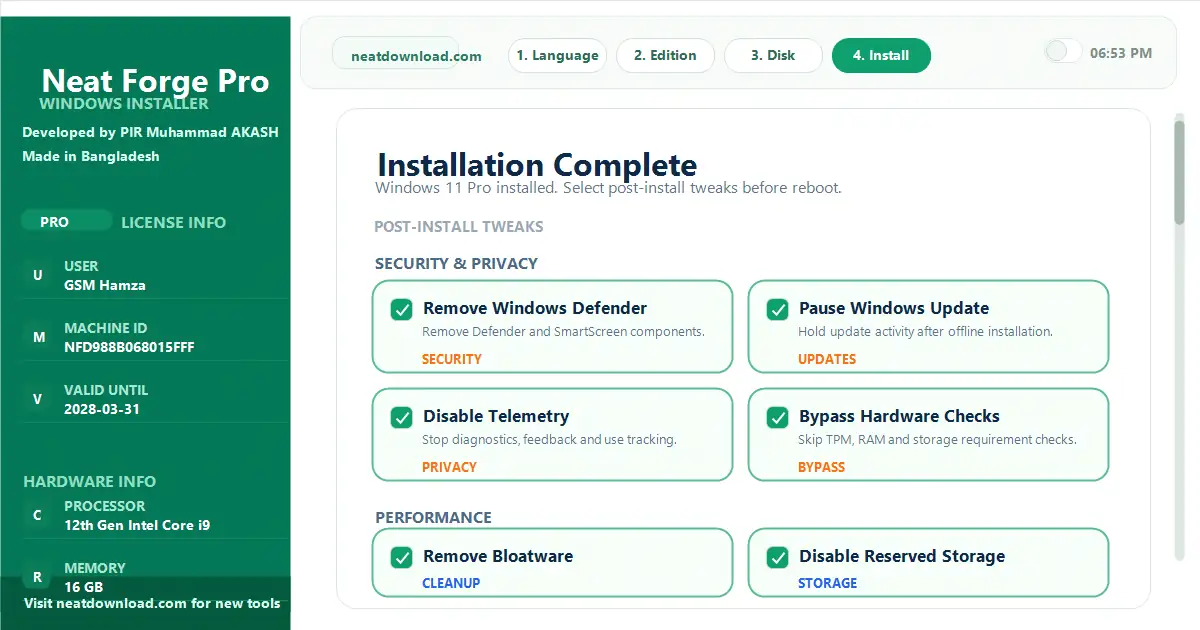
- Bypass Win11 RequirementsFREE
- Auto Driver IntegrationPRO
- Offline App Pack (Silent)PRO
- Rescue & Backup Auto-SyncPRO
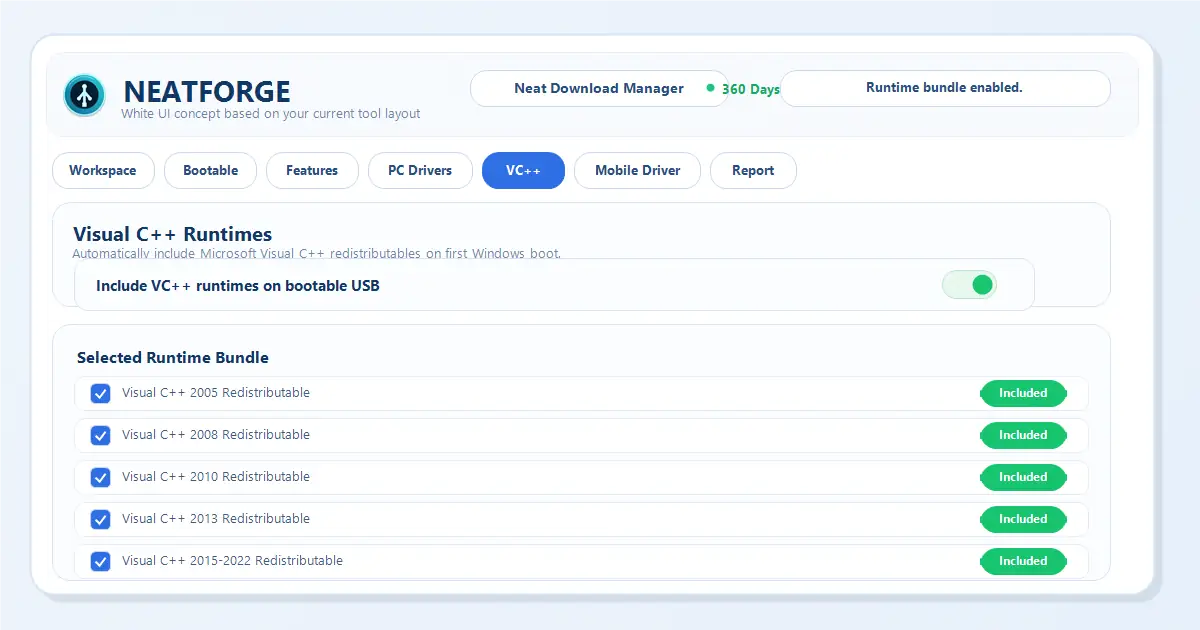
- Visual C++ Runtimes (AIO)PRO
- Automated Boot EnvironmentPRO
🛡️ Security & Privacy
- Remove Windows DefenderPRO
- Pause Windows Update till 2050PRO
- Disable Telemetry & DiagnosticsPRO
- Disable Windows Recall / AIPRO
- Disable App Launch TrackingPRO
- Disable Advertising IDFREE
- Disable Location TrackingFREE
- Block Camera & Mic AccessPRO
- Disable SmartScreen FilterPRO
- Disable Chrome/Firefox TelemetryPRO
🚀 Raw Performance & Speed
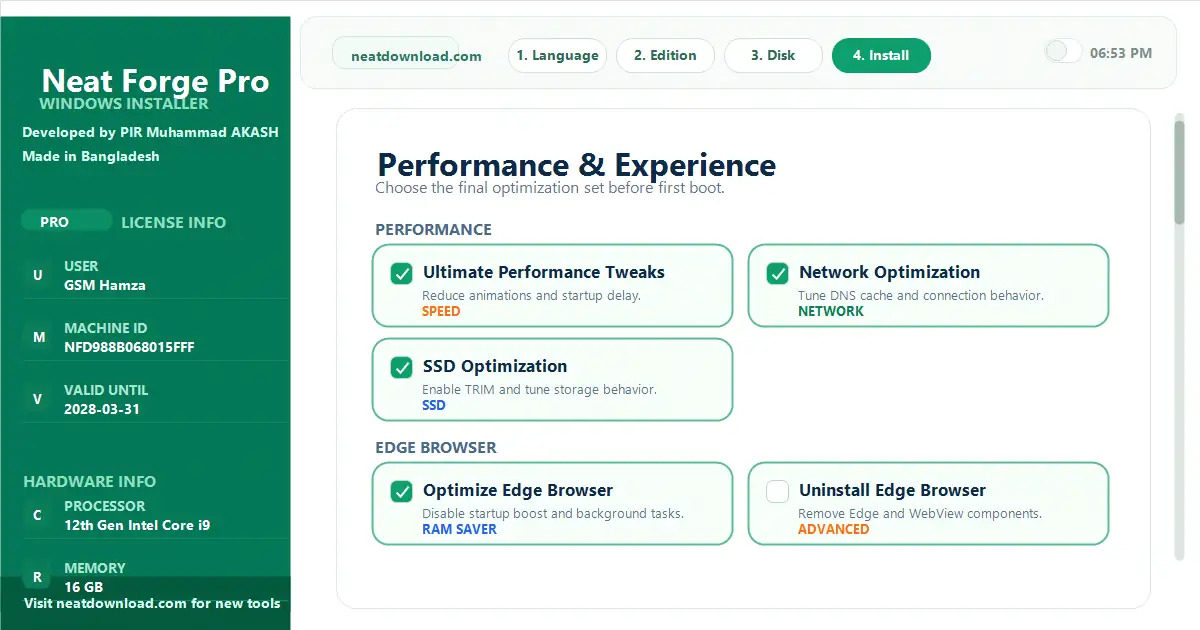
- Ultimate Performance Power PlanFREE
- Remove Bloatware & OneDrivePRO
- Disable Reserved Storage (~7GB)PRO
- OS Compact Compression (Save 2GB+)PRO
- Disable SysMain/Superfetch (100% disk fix)PRO
- Disable Power ThrottlingPRO
- Disable Background AppsPRO
- Disable Startup Delay (10 seconds)PRO
- Faster Menu Response TimePRO
- Optimize Process PriorityPRO
- Network & SSD OptimizationsFREE
🎮 Gaming & Input Lag
- Disable VBS & Memory IntegrityPRO
- Disable GameDVR & Game BarPRO
- Disable Fullscreen OptimizationsPRO
- Enable GPU Hardware SchedulingPRO
- Disable Mouse AccelerationPRO
- Faster Keyboard Response RateFREE
- Disable Sticky Keys PromptPRO
- Optimize Game Mode explicitlyPRO
🌊 UI, Edge & Shell
- Uninstall Microsoft Edge entirelyPRO
- Disable Bing Search & Web ResultsFREE
- Disable Windows CopilotPRO
- Classic Full Right-Click MenuPRO
- Remove Shortcut ArrowsPRO
- Left-Align Window 11 TaskbarPRO
- Disable Widgets & Task View ButtonPRO
- Disable Login Screen BlurPRO
- System-Wide Dark ModeFREE
- Disable Aero ShakePRO
- Hide Search HighlightsPRO
💻 Deep System Services
- Disable Print SpoolerFREE
- Disable HibernationPRO
- Disable Fast StartupPRO
- Faster System Shutdown (1 sec)PRO
- Auto End Hanging TasksPRO
- Optimize NTFS PerformancePRO
- Disable Remote DesktopPRO
- Disable Error ReportingPRO
- Disable Auto-MaintenancePRO
📋 Context Menu Extras
- Add 'CMD (Admin)' MenuFREE
- Restart Explorer 1-click MenuFREE
- Instant Shutdown/Restart MenuPRO
- Permanent Delete (Bypass Bin) MenuFREE
- Empty Recycle Bin MenuFREE
- Selection Checkboxes ToggleFREE
- Rapid Settings SubmenuPRO
- Light/Dark Mode Toggle MenuPRO
💡 Extra Tweaks & Features
- Set Cloudflare Fast DNSPRO
- Restore Classic Photo ViewerPRO
- NumLock ON at BootPRO
- Show Seconds on ClockPRO
- Enable End Task in TaskbarPRO
- Disable UAC PromptsFREE
- Disable Lock ScreenPRO
- Disable Clipboard HistoryPRO
- Show Hidden Files & ExtensionsPRO
📱 Massive Mobile Driver Library
Bundle the heaviest Android, MTK, Qualcomm, and FRP package drivers directly into the USB. Your PC will be instantly ready for Phone Unlocking, ADB, Fastboot without connecting to the internet!
❓ Frequently Asked Questions (FAQ)
Is NeatForge free to use?
Yes, NeatForge offers a powerful Free tier with essential features like bootable USB creation, Windows edition selector, hardware bypass, and basic optimization tweaks. Advanced automation and app packaging are in the Pro tier.
What is the file size of NeatForge?
The NeatForge v1.0.0 installer size is approximately 800MB. It includes advanced WinPE tools, scripts, and libraries to ensure your Windows installation completes rapidly without errors.
Does NeatForge bypass Windows 11 hardware requirements?
Yes! Our tool can automatically bypass TPM 2.0, Secure Boot, minimum RAM, and CPU check requirements, allowing you to install Windows 11 easily on older hardware.
Do I need internet during Windows installation?
No, one of the primary benefits of NeatForge is that your USB contains offline App Packs and Auto Drivers. Your drivers and software will install silently offline before you even boot to the desktop.