Neat 2FAS Auth v1.7.0 – Secure 2FA Authenticator for Windows

Overview of Neat 2FAS Auth v1.7.0 – Secure 2FA Authenticator for Windows
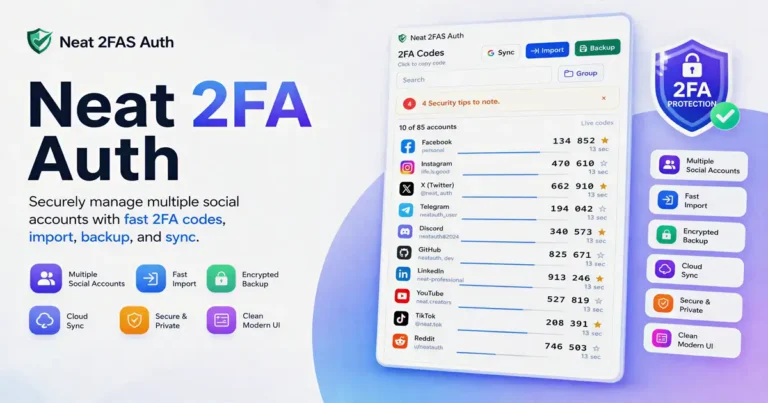
Keeping your login credentials safe is a daily challenge for any power user. Neat 2FAS Auth v1.7.0 is a streamlined Windows 2FA authenticator designed to keep your verification codes organized, secure, and accessible without the bloat found in other tools.
If you have been hunting for a reliable TOTP authenticator for Windows that actually respects your workflow, this version hits the mark. It ditches the unnecessary complexity, allowing you to focus on managing your security keys and folders efficiently.
Improved Workflow and Security
Managing security codes across dozens of accounts can quickly become a mess. This encrypted authenticator app handles your data with high-grade encryption, ensuring that your local backups stay private even if you move between different machines.
The integration of Google Drive 2FA sync is a standout feature for users who switch between home and work PCs. It removes the need for manual exports, making it a truly hands-off solution for maintaining an offline 2FA code manager.
Reliability and Setup
You can import existing accounts from common apps like Google Authenticator or mobile 2FAS backups in just a few clicks. It is built to be a set-it-and-forget-it tool that operates perfectly without needing a constant internet connection.
This is a solid choice if you need 2FA backup and restore functionality that is actually easy to use. It works flawlessly on any modern Windows desktop, providing a stable experience for tech enthusiasts who value privacy over cloud-only platforms.
Core Advantages
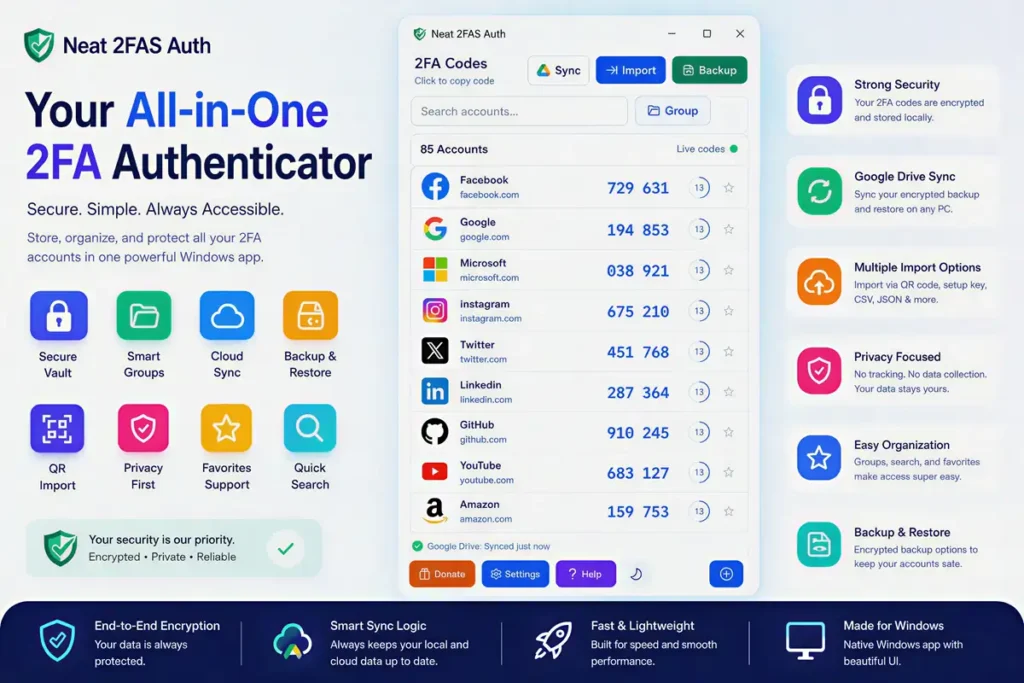
- Smart Cloud Sync: Keeps your account list synchronized via encrypted backups on Google Drive, ensuring you never lose access to your codes when changing computers.
- Organized Account Folders: Allows you to categorize your logins into specific folders like Work, Personal, or Banking, making it easy to scan your list for the right code.
- Versatile Import Options: You can pull in data using QR code scanning directly from your screen, CSV imports, or JSON backup files from other authenticator apps.
- Privacy-First Design: Includes built-in security features such as an auto-lock mechanism, clipboard auto-clear, and an encrypted vault that prevents unauthorized access.
- Duplicate Prevention: Advanced logic detects when you are adding an existing account, helping you keep your vault clean and free of redundant entries.
- Offline Access: Unlike browser-based managers, this app works fully offline, so you can generate your TOTP codes even in environments without network connectivity.
❓ Frequently Asked Questions
Is my data safe if I use Google Drive sync?
Yes, all backups synced to Google Drive are encrypted before they leave your computer. You hold the encryption password, so your data remains unreadable to anyone else, including Google.
Can I import accounts from Google Authenticator?
Absolutely. The app supports importing Google Authenticator transfer QR codes, making the transition to a desktop-based authenticator smooth and fast.
What happens if I lose my cloud encryption password?
If the cloud password is lost, your encrypted backup cannot be decrypted. We highly recommend keeping your recovery password in a secure, physical location or a separate password manager.
Does Neat 2FAS Auth require an internet connection to work?
No, it is a local-first application. You only need an internet connection if you want to sync your vault with Google Drive.
Can I run this on multiple Windows PCs?
Yes. You can install it on any number of machines and use the encrypted cloud sync to keep your account list identical across all your devices.
📥 Installation
- Download the installer from the official link provided.
- Run the .exe file and follow the on-screen prompts.
- Launch the app and set your primary master password.
- Import your accounts via QR code, CSV, or existing backups.
✨ Key Features
Neat 2FAS Auth provides a massive range of tools for power users who need professional-grade account management.
- Batch Editing: Manage large lists of accounts simultaneously, which is perfect for users with dozens of active 2FA entries.
- Stats Dashboard: Provides a clear overview of your vault, helping you track how many accounts you have and when your data was last backed up.
- Account QR Sharing: Easily transfer or share specific account keys using QR codes generated within the app interface.
- Backup Code Manager: Store extra recovery codes for your most sensitive accounts directly alongside your TOTP codes.
- Trash Recovery: If you accidentally delete an account, you can recover it from the trash folder before it is permanently removed.
- Theme Support: Includes both light and dark modes, allowing you to match the app to your Windows system preference.
🖥️ Requirements
| OS | Windows 7, 8, 10, or 11 (64-bit recommended) |
| Memory | Minimum 256MB RAM |
| Storage | 50MB free space |
📜 What’s New
- v1.7.0: Added improved Google Drive sync logic and enhanced QR code detection speed.
- v1.6.5: Fixed minor UI bugs and introduced the new batch editing feature for power users.
Ratings & Reviews
0.0
out of 5
Be the first to review this application!