Neat DeskLock v1.0.0.5 – Remote PC Black Screen & Client Control Software

Previews
Overview of Neat DeskLock v1.0.0.5 – Remote PC Black Screen & Client Control Software
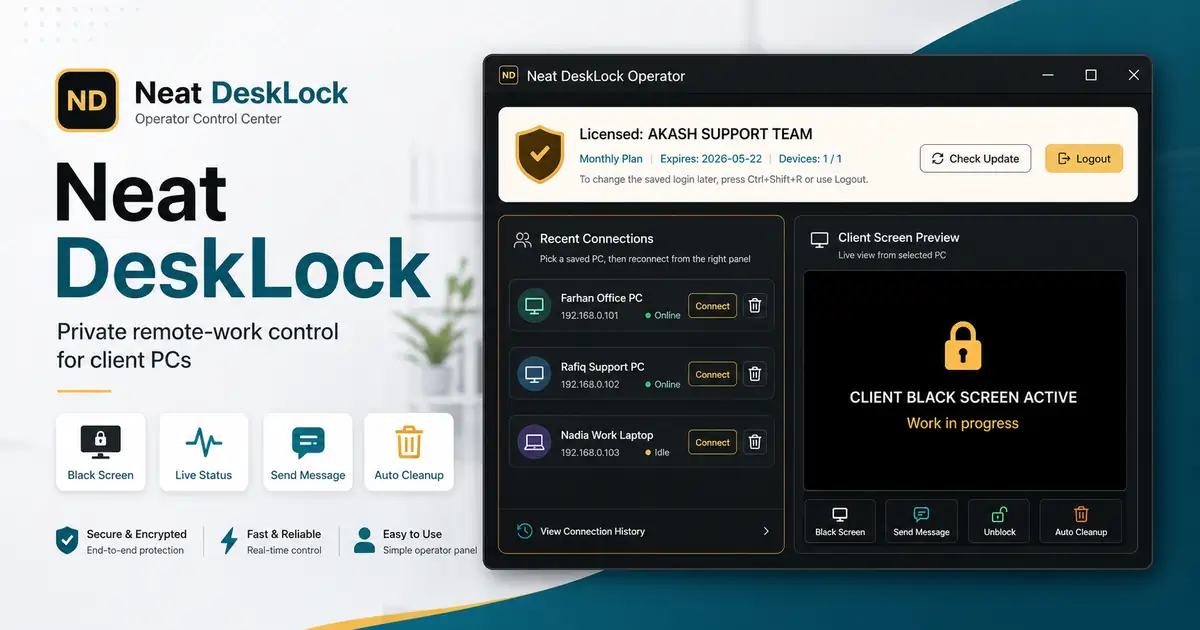
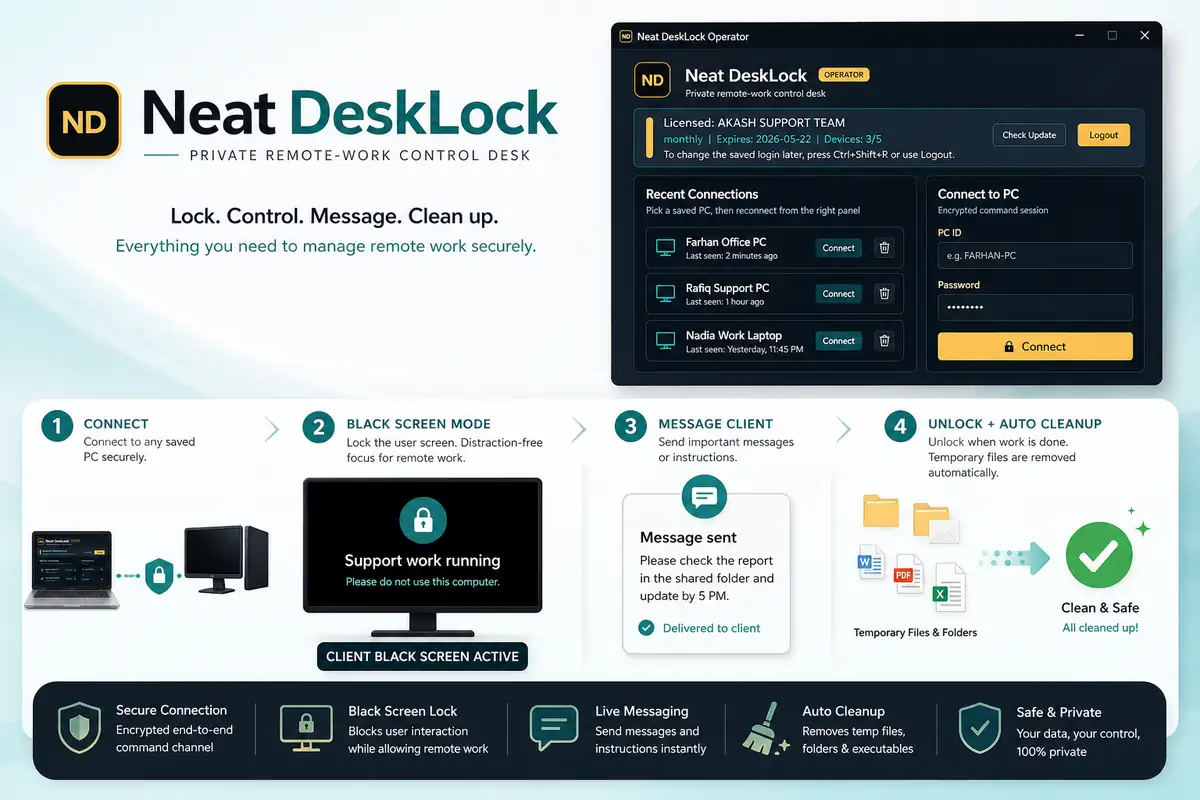
Neat DeskLock v1.0.0.5 is a lightweight utility designed for IT technicians who need privacy while performing remote maintenance. It allows you to black out the client screen so users cannot see sensitive configurations or data during a session.
This software simplifies the connection process using a basic PC ID and password system. You can monitor whether a client machine is online, busy, or currently locked behind a black screen from a single dashboard.
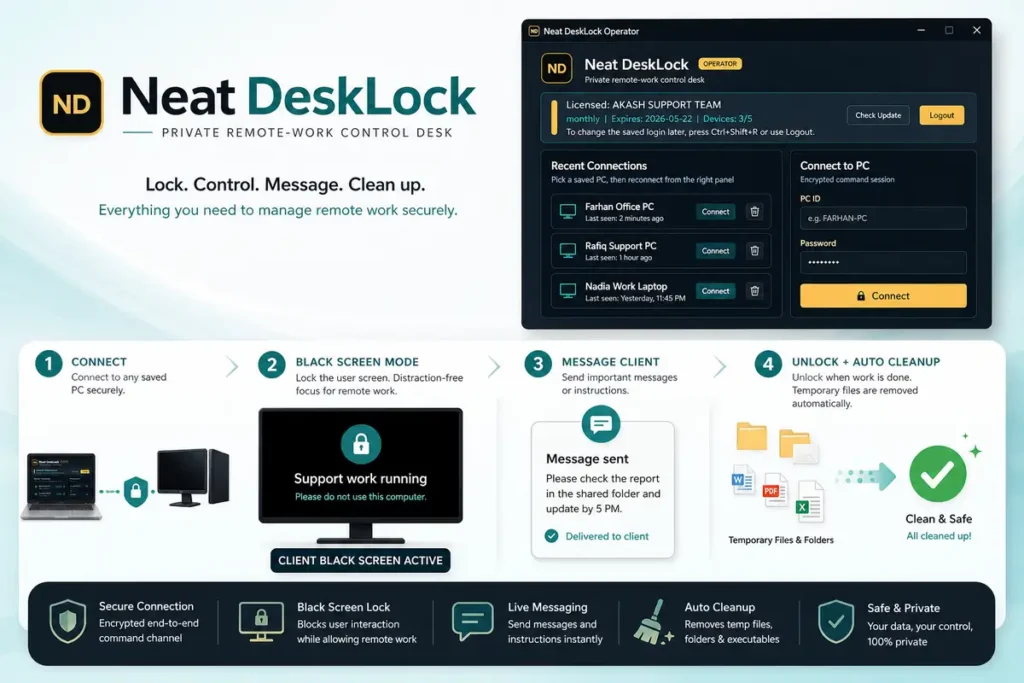
Working on remote machines often leaves behind temporary files or open sessions. This tool handles automatic file cleanup once you finish the job, making sure no traces of your workspace are left on the client’s computer.
Better Privacy and Workflow for Technicians
The black screen mode is the standout feature here. It prevents customers from interfering with your work while you handle deep system changes or private account logins.
You can also keep the user informed by sending custom messages directly to their monitor. You get to pick the text color so the message stands out even when the rest of the screen is hidden.
Reliability and Connection Management
Managing multiple clients is easier with the connection history feature. You don’t have to re-enter credentials every time you need to jump back into a recent machine for a quick fix.
The app runs quietly in the background once the setup is done. It doesn’t hog system resources, ensuring the remote PC performance stays stable while you work on it.
Why This Tool is Useful for Remote Support
- Privacy Shield: You can hide your entire workflow from the end-user with a single click using the black screen toggle.
- Client Messaging: Send live updates to the client’s screen to let them know the current status of the repair.
- Workspace Security: The session workspace ensures all your tools are kept in one place and deleted automatically when you exit.
- Quick Reconnect: Use the saved history log to quickly access frequent client machines without asking for IDs again.
- Remote Exit Control: You can completely shut down the client-side app from your admin panel once the task is complete.
❓ Frequently Asked Questions
Will the client see my files while the black screen is active?
No, the black screen hides everything on the physical monitor. The user will only see the custom message you choose to display.
Does Neat DeskLock v1.0.0.5 work on Windows 11?
Yes, it is fully compatible with Windows 10 and Windows 11 for both the operator and client sides.
What happens to the temporary files I use during a session?
The software includes an automatic cleanup feature. It deletes all files in the session workspace as soon as you unlock the PC or exit the app.
Can I change the message text after the screen is already black?
Yes, you can send and update messages in real-time from the operator dashboard while the black screen is active.
Do I need to install it on every client machine?
Yes, the client app must be running on the target PC so you can connect using the generated ID and password.
📥 Installation
- Download the Neat DeskLock v1.0.0.5 package and extract the files.
- Run the Operator app on your local technician PC.
- Run the Client app on the computer you need to control.
- Copy the PC ID and Password from the client machine into your operator panel.
- Click Connect to start the session and toggle the Black Screen mode as needed.
✨ Key Features
Check out the full set of tools available in the latest v1.0.0.5 update for managing remote sessions.
- Secure Client Connection: Connect to any machine using a unique PC ID and password for verified access.
- Live Status Monitoring: View the current state of the client machine, including online/offline and active session status.
- Black Screen Privacy Mode: Hide the remote screen with a single click to ensure private remote work.
- Remote Unlock Control: Instantly restore the client’s screen access once your maintenance work is finished.
- Remote Application Exit: Close the client software remotely so the user doesn’t have to manually shut it down.
- Custom Screen Messaging: Type real-time messages that appear on top of the black screen for the user to read.
- Message Color Customization: Adjust the visibility of your messages by choosing specific colors for the text.
- History Log: Keep track of recent connections to make reconnecting to frequent clients much faster.
- Automatic Session Cleanup: Wipe out all temporary work files and folders automatically when the session closes.
- Dedicated Workspace: Creates a specific folder for remote files, keeping the rest of the client’s PC clean.
- Background Client Support: The client app can be configured to stay active in the background for instant access.
- Timer and Session Status: Track how long a black screen session has been active via the admin panel.
🖥️ Requirements
| Operating System | Windows 7, 8, 10, 11 (32-bit & 64-bit) |
| Processor | 1.0 GHz or faster |
| RAM | 512 MB minimum |
| Internet | Stable connection required for ID verification |
📜 What’s New
- v1.0.0.5 (Latest): Added support for Windows 11 23H2.
- v1.0.0.5: Improved the automatic cleanup speed for temporary files.
- v1.0.0.5: Fixed a bug where custom messages would sometimes flicker on high-resolution screens.
- v1.0.0.3: Initial release with core black screen and remote control features.
Ratings & Reviews
0.0
out of 5
Be the first to review this application!