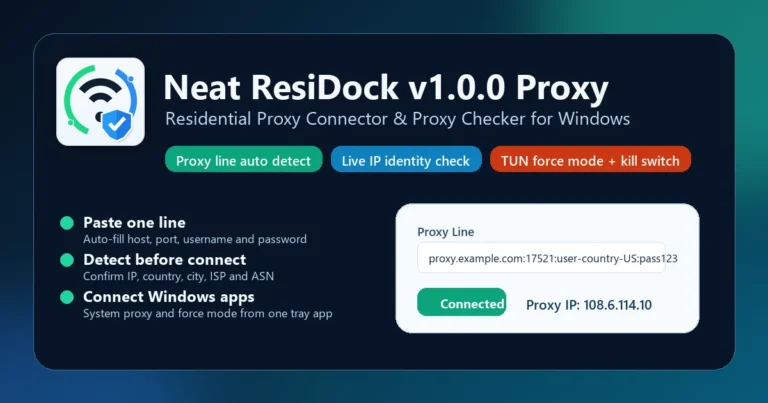
Neat ResiDock v1.0.0 Proxy – Residential Proxy Connector & Proxy Checker for Windows

Overview of Neat ResiDock v1.0.0
Neat ResiDock v1.0.0 is a specialized utility for technicians and power users who handle residential proxies daily. It serves as a residential proxy connector that simplifies the way you route system traffic through various proxy endpoints.
Instead of juggling manual configurations, this proxy checker for Windows allows you to paste a single proxy string. The app automatically handles parsing, validation, and connection, saving you time during your workflow.
Streamlining Your Proxy Workflow
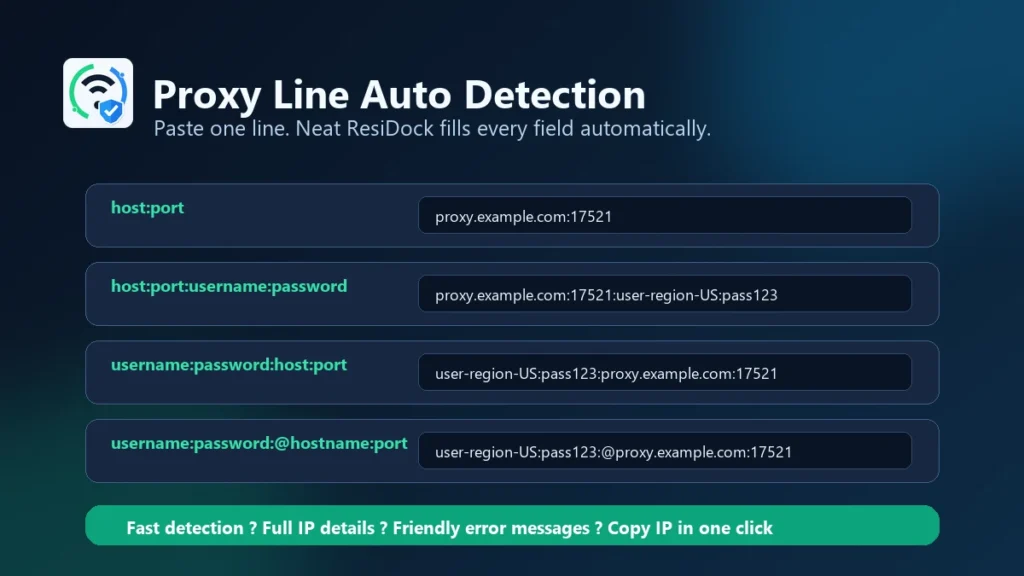
The core logic behind this tool is speed. By supporting common formats like host:port:user:pass, it eliminates the need to manually split credentials into separate fields.
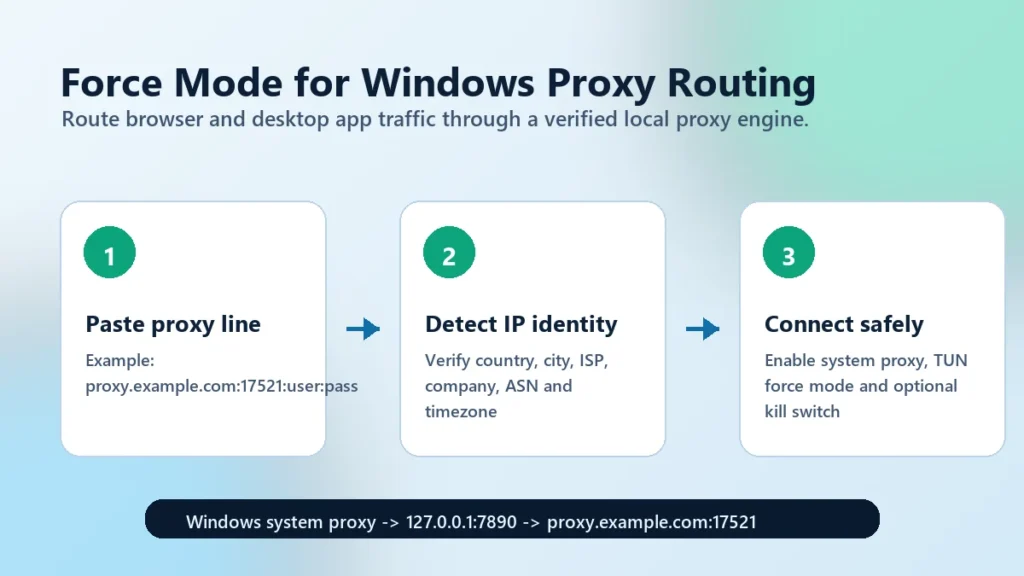
Before you even commit to a connection, the proxy validator runs a live check. It pulls identity data including the IP address, country, ASN, and ISP, so you know if your proxy is actually live and ready for use.
Advanced Connection and Security
When it comes to routing, this app provides more than just a basic connection. It integrates a TUN force mode, which forces desktop traffic through the proxy engine, ensuring your system apps follow the proxy settings correctly.
For those dealing with sensitive tasks, the built-in kill switch adds a layer of safety. If your proxy connection drops for any reason, the app blocks internet access to prevent accidental IP leaks from your real connection.
Core Advantages of Neat ResiDock
- Proxy Line Auto-Detection: Paste your raw proxy strings directly into the app; it automatically identifies the structure and populates the required fields without manual input.
- Integrated Identity Verification: Instantly check your proxy’s health by confirming the city, country, timezone, and ASN before initiating a system-wide connection.
- TUN Force Mode: Unlike basic software that only works with specific browsers, this mode forces all system traffic through the local proxy endpoint for greater control.
- Built-in Kill Switch: Protects your privacy by instantly cutting off internet access if the proxy connection is interrupted unexpectedly.
- System Proxy Management: Acts as a local bridge, allowing your Windows applications to route through a dedicated local proxy engine rather than relying on unstable manual settings.
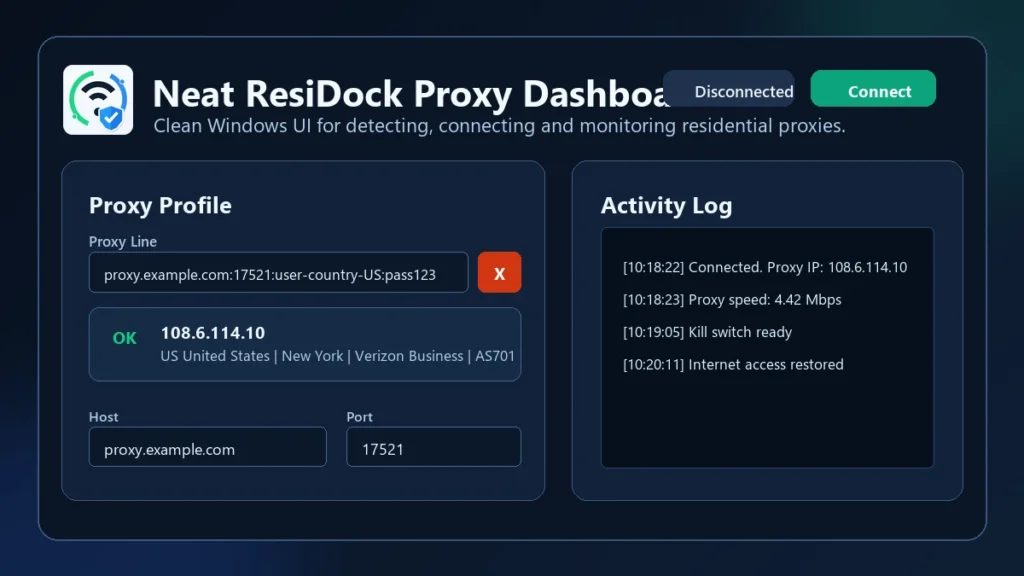
- Clear Activity Monitoring: View real-time connection status, activity logs, and tray notifications to stay informed about your proxy state at a glance.
❓ Frequently Asked Questions
Can I use Neat ResiDock with SOCKS5 proxies?
Yes, the software supports HTTP, HTTPS, and SOCKS5 proxy formats, making it flexible for most residential proxy providers.
How does the Kill Switch work exactly?
When enabled, the kill switch monitors your connection. If the proxy fails or drops, the app cuts your internet traffic to prevent your real IP address from being exposed.
Do I need administrator rights to use this tool?
Administrator access is required if you intend to use the TUN force mode and the kill switch feature, as these modify system-wide network routing.
Does it work with residential provider endpoints?
Yes, it is fully compatible with both residential provider endpoints and local host/port configurations.
Can I check multiple proxies at once?
Neat ResiDock is designed for quick, single-line parsing and validation to ensure you can verify the identity of a specific proxy before connecting.
📥 Installation
- Download the Neat ResiDock installation file.
- Run the installer as an administrator to ensure all network drivers are configured correctly.
- Follow the on-screen prompts and launch the application.
- Paste your proxy details into the main dashboard and click Detect to start your first session.
✨ Key Features
Neat ResiDock is built for technicians who demand a fast, reliable, and straightforward way to manage proxy connections on Windows.
- Smart Proxy Parsing: The tool intelligently detects your input format, whether it is standard host:port or complex authentication-based strings, saving you from repetitive manual entry.
- Detailed Proxy Health Data: After checking, the app provides a deep breakdown of the proxy identity, including ISP and ASN information, which is critical for verifying the quality of residential IPs.
- Local Endpoint Support: Whether you are using a local gateway or a remote residential proxy server, the app creates a consistent local proxy engine for your system.
- System-Wide Routing: Once connected, the app directs system traffic through the selected proxy, ensuring all applications on your desktop use the secure tunnel you configured.
- User-Friendly Tray Management: The software runs in the system tray, allowing you to quickly monitor connection status, toggle the kill switch, or disconnect without cluttering your taskbar.
🖥️ Requirements
| OS | Windows 10 (1809+) or Windows 11 |
| Architecture | x64 System |
| Permissions | Administrator access required for TUN/Kill Switch |
📜 What’s New
- v1.0.0: Initial public release featuring native Windows proxy routing, TUN force mode, and automatic proxy line detection.
Ratings & Reviews
4.0
out of 5
Be the first to review this application!